Component · controls (floating)
Liquid glass control stack
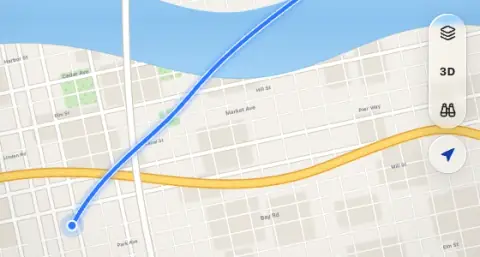
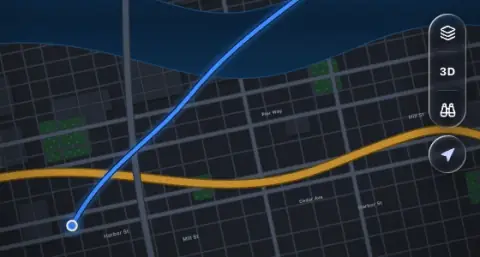
Small floating controls over a map or canvas: map style, 3D, look around, and locate.
- Material
- regular
- Profile
- bevel (stack) · convex (locate)
- Bezel (px)
- 18–20 (19 at 44 wide)
- Displacement (px)
- 0.4 × bezel (7.5)
- Blur (px)
- 3–5
Geometry. a vertical capsule 44 wide (radius 22) holding 2–3 flat 44 × 44 items with 1 px separators inset 10 from the sides; a separate 44 circle for locate 8 px below; the pair sits 12–16 px from the top trailing corner, below the status bar; glyphs 18–20, text marks ('3D') 13 weight 700
Rules3
- Items inside the stack are flat; the locate button is the one separate body, 8 px below, never a lens inside the stack.
- At most three items in the stack; more go into a menu from the first item (map style).
- Active glyphs use the accent text colour (#143FA8 light / #C4D7FF dark), not the solid accent.
Anatomy4
- vertical glass capsule
- 2–3 flat items
- 1 px separators (white 30 % light / 15 % dark)
- locate button in its own glass circle
States4
- rest
- item active (3D on): glyph in the accent text colour
- locate: outline arrow, filled while following the user
- press: the locate circle grows 1.05; stack items get a flat fill
Questions
What material is a liquid glass control stack?
Regular material with a bevel (stack) · convex (locate) edge profile, in the controls (floating) layer. Small floating controls over a map or canvas: map style, 3D, look around, and locate.
How big is a liquid glass control stack?
A vertical capsule 44 wide (radius 22) holding 2–3 flat 44 × 44 items with 1 px separators inset 10 from the sides; a separate 44 circle for locate 8 px below; the pair sits 12–16 px from the top trailing corner, below the status bar; glyphs 18–20, text marks ('3D') 13 weight 700.
What bezel, displacement and blur does it use?
Bezel 18–20 (19 at 44 wide); displacement 0.4 × bezel (7.5); blur 3–5 (px).
Which states does a liquid glass control stack need?
Rest; item active (3D on): glyph in the accent text colour; locate: outline arrow, filled while following the user; press: the locate circle grows 1.05; stack items get a flat fill.