Guide · Cursor
Liquid glass in Cursor
Cursor's agent builds glass the way most of the web does: a blur with a white border, which is glassmorphism. Real liquid glass bends the backdrop at the edge of every control, and getting there takes numbers and code the agent does not have.
Meniscus is an MCP server that gives it both: specs, tested numbers and build recipes for the web, SwiftUI, Flutter, React Native and Figma. Add it once, sign in, and the agent calls it when you ask for glass. The free plan covers every recipe.
Updated
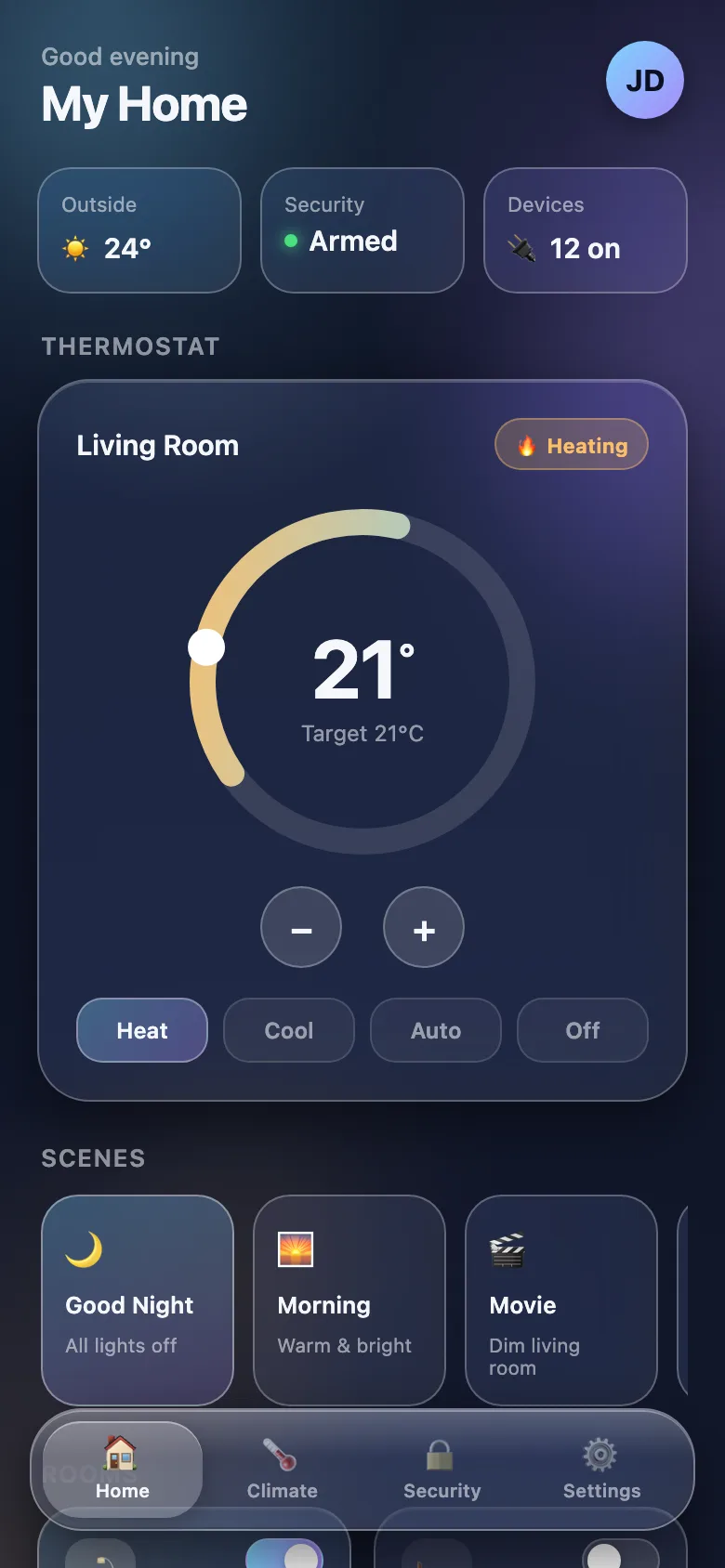 Claude Code alone · 1 min 52 s
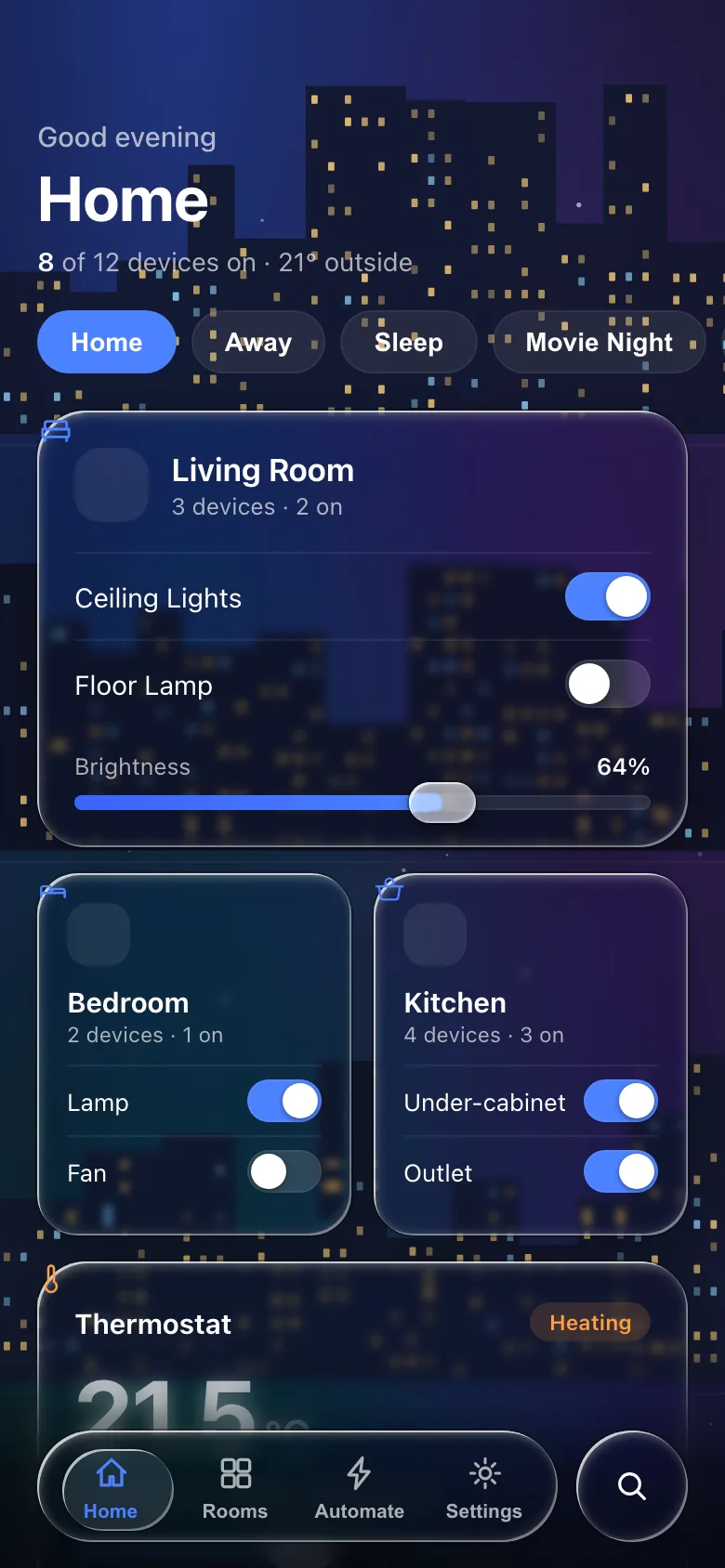 Claude Code + Meniscus (free) · 9 min 30 s
Set up
Or add to ~/.cursor/mcp.json (or the project's .cursor/mcp.json):
{
  "mcpServers": {
    "meniscus": {
      "url": "https://meniscus.site/mcp"
    }
  }
}
Cursor asks you to sign in the first time it connects.
Make it use Meniscus every time
So the agent reaches for Meniscus without being told, add a project rule. With a description and alwaysApply: false, the agent pulls the rule in when a request matches it:
---
description: Liquid glass, glass UI, glassmorphism, frosted or translucent surfaces, the iOS 26/27 look
alwaysApply: false
---

For liquid glass, glass UI, glassmorphism or the iOS 26/27 look, use the meniscus MCP tools: call create_design_brief for the screen first, build from the code it returns, then check the result against the brief's checklist. Liquid glass bends the backdrop at its edge; a blur with a white border is glassmorphism.
What to ask
Name the platform and the parts. Naming the tools makes the agent use them.
Build a music player screen as one index.html: album art behind liquid glass playback controls and a floating glass tab bar. Use the meniscus tools.Add a liquid glass tab bar to this Expo app for iOS and Android, with an honest fallback where glass is not available. Use the meniscus tools.Review the glass in this project against the liquid glass rules and list what reads as glassmorphism, with fixes. Use the meniscus tools.Good to know
- Every Meniscus tool only reads, so it is safe to let the agent run them without asking each time.
- Check web glass in Chrome or Edge. The SVG refraction renders only in Chromium; Safari and Firefox show the frost fallback, which the recipe ships on purpose.
- Once you are signed in, Cursor's MCP settings list meniscus with its nine tools; if the list is empty, the sign-in did not finish.
Questions
Cursor shows Meniscus but no tools.
Open Cursor's MCP settings and check that meniscus is enabled and signed in. If it shows an error, remove it and add it again with the one-click link; Meniscus speaks Streamable HTTP only, not SSE.
How is this different from a liquid glass CSS library?
A library is one implementation. Meniscus gives the agent the rules and numbers per component and per platform, so what it builds fits your stack, plain CSS, React, SwiftUI or Flutter, and it can review the glass you already have.
Do I need a paid plan?
No. The free plan gives every spec and every recipe with its code, for the web, SwiftUI, Flutter, React Native and Figma, with 50 tool calls a day. New accounts get Pro for their first 14 days; Pro adds the screen templates, the React kit and the whole reference library.
Project or global?
~/.cursor/mcp.json makes Meniscus available in every project; .cursor/mcp.json in a project shares it with everyone who opens that repository, and each person signs in with their own account.
Next
The build guides carry the code your agent gets: CSS and web, SwiftUI, Flutter, React Native, Figma. The same server in Claude Code and Codex.