Guide · Claude Code
Liquid glass in Claude Code
Ask Claude Code for liquid glass and it writes glassmorphism: a blur with a white border. Given the same weather-app request word for word, it built milky frost on its own and clear glass that bends the landscape at every edge with Meniscus connected. Both pages run on the home page.
Meniscus is an MCP server. Claude Code calls it for the specs, tested numbers and build code of the screen you name, on the web, SwiftUI, Flutter, React Native or Figma, and checks its result against the brief's checklist. The free plan covers every recipe.
Updated
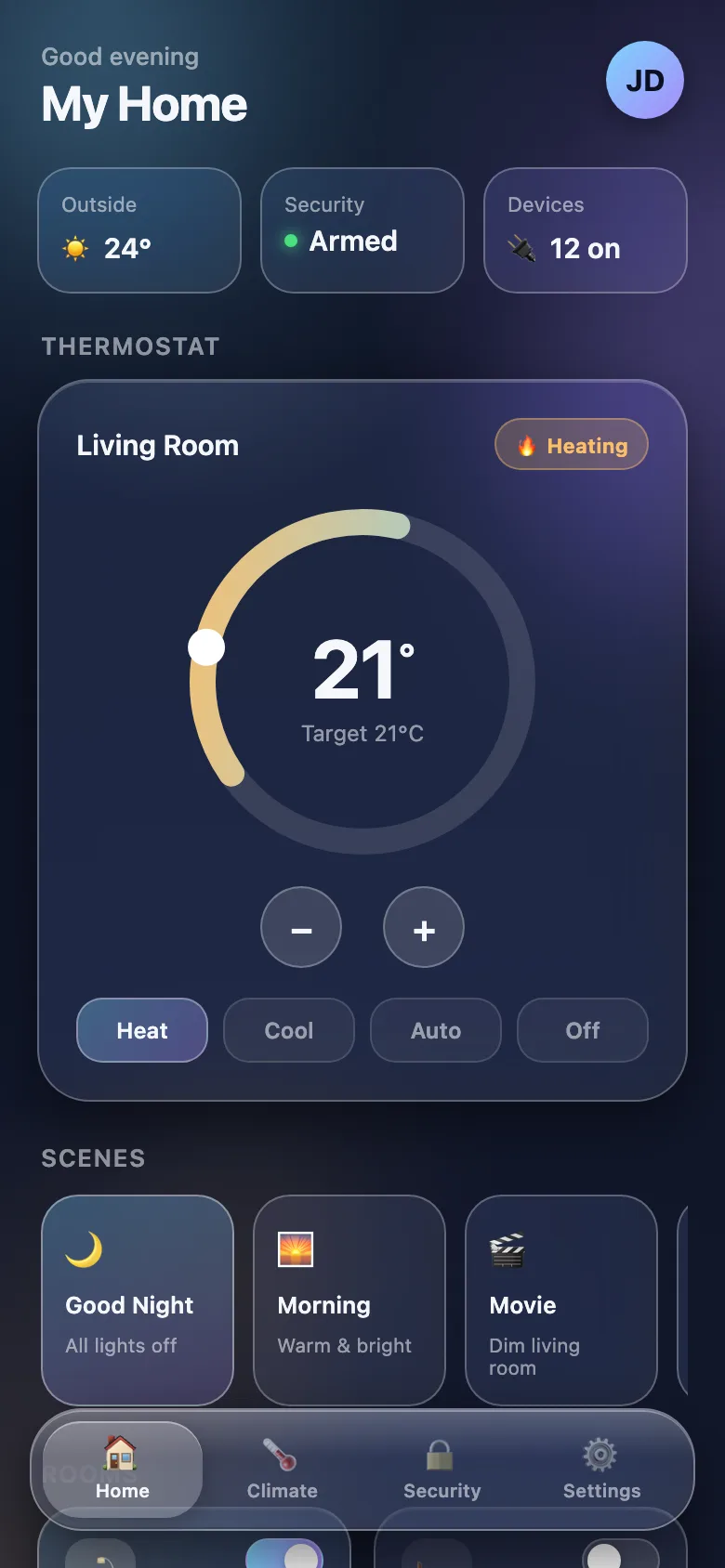 Claude Code alone · 1 min 52 s
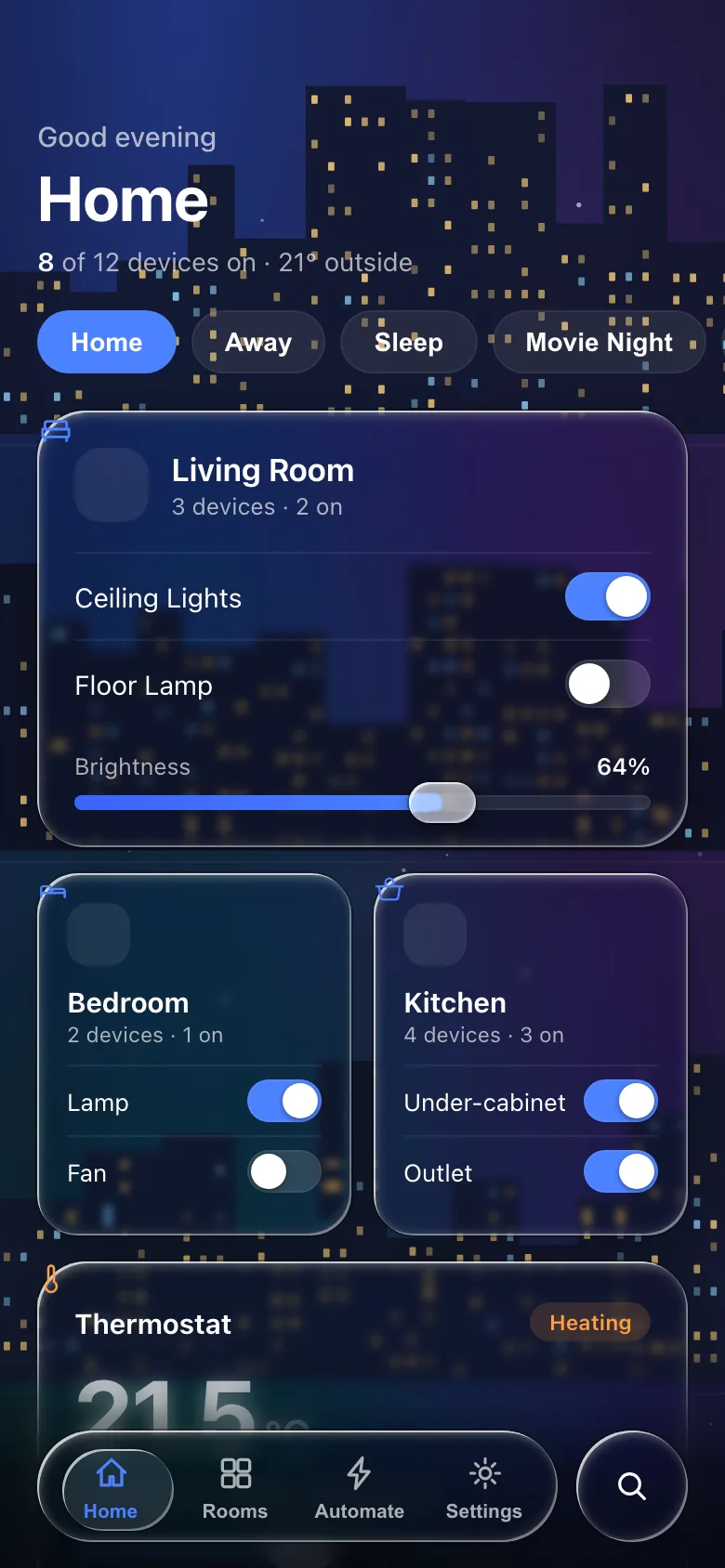 Claude Code + Meniscus (free) · 9 min 30 s
Set up
claude mcp add --transport http meniscus https://meniscus.site/mcpThen run /mcp in Claude Code and choose meniscus to sign in. Add --scope user to have it in every project.
Or install the Meniscus plugin, which adds the server and the liquid-glass skill, then sign in through /mcp the same way:
/plugin marketplace add meniscus-site/meniscus-mcp
/plugin install meniscus@meniscus
Make it use Meniscus every time
The plugin's skill already sends Claude to Meniscus whenever you ask for glass. With the server alone, add one line to the project's CLAUDE.md, or to ~/.claude/CLAUDE.md for every project:
For liquid glass, glass UI, glassmorphism or the iOS 26/27 look, use the meniscus MCP tools: call create_design_brief for the screen first, build from the code it returns, then check the result against the brief's checklist.What to ask
Name the platform and the parts. Naming the tools makes the agent use them.
Build a music player screen as one index.html: album art behind liquid glass playback controls and a floating glass tab bar. Use the meniscus tools.Build a SwiftUI iOS 26 photo viewer with a floating glass toolbar and a glass button group that morphs when tapped. Use the meniscus tools.Review the glass in this project against the liquid glass rules and list what reads as glassmorphism, with fixes. Use the meniscus tools.Good to know
- The server's prompts are in the slash menu:
/mcp__meniscus__build_screen,review_glassandadd_component. Installed as the plugin, the server is namedplugin:meniscus:meniscusand its prompts and tools carrymcp__plugin_meniscus_meniscus__. - Expect it to take longer. In the comparison on the home page Claude Code needed under two minutes alone and nine and a half with Meniscus, most of it reading the brief and the web recipe before writing any glass.
- Let it check its own work. With a browser tool, such as a Playwright MCP server, Claude Code can screenshot the page and go through the brief's checklist: do straight lines curve at every glass edge, is every label legible.
- Headless runs (
claude -p) must be allowed the tools:--allowedTools "mcp__meniscus__*", or"mcp__plugin_meniscus_meniscus__*"with the plugin. An interactive session asks you once.
Questions
Why does Claude Code make glassmorphism?
Almost all the glass CSS it has seen is a blur with a border. The bend needs something it cannot guess: a displacement map computed from the shape's edge on the web, a fragment shader in Flutter, the system material in SwiftUI. Meniscus hands it that code with the numbers.
Plugin or server only?
The plugin is the server plus the liquid-glass skill, which reminds Claude to use the tools when glass comes up. The server alone works the same once you name the tools in your request or in CLAUDE.md.
Do I need a paid plan?
No. The free plan gives every spec and every recipe with its code, for the web, SwiftUI, Flutter, React Native and Figma, with 50 tool calls a day. New accounts get Pro for their first 14 days; Pro adds the screen templates, the React kit and the whole reference library.
Does it work in the Claude desktop app and on claude.ai?
Yes, as a custom connector: Customize → Connectors → Add custom connector, paste the server URL, then Connect. The steps for every Claude app are on the docs page.
Which model should I use?
Any model Claude Code runs. The comparison on the home page used Claude Sonnet 5 on the free plan.
Next
The build guides carry the code your agent gets: CSS and web, SwiftUI, Flutter, React Native, Figma. The same server in Cursor and Codex.